By the time you’re married you’ll have dealt with a dozen or more suppliers: venue, celebrant, photographer, florist, DJ, hair and makeup, cake, transport. Each comes with a quote, a contract, a payment schedule and a contact you’ll need on the day.
Here’s what to ask before you book, what to keep on record, and how to keep it all in one place.
Wedding HQ ProThe Wedding HQ steps in this guide need Wedding HQ Pro, a one-off A$39 upgrade for both of you. What's included
Questions to ask before you book
- Are you available on our date, and how long will you hold it?
- What exactly is included, and what costs extra (travel, overtime, setup and pack-down)?
- How much is the deposit, and when are the remaining payments due?
- What’s your cancellation and postponement policy?
- Who will actually be there on the day, and what time will they arrive?
- What happens if it rains, or if you’re unwell?
- For photographers and videographers: when will we get our photos or film?
Get the answers in writing, and read the contract before you pay the deposit.
What to keep on record
For every supplier you book, keep:
- the business name and the person you deal with
- a phone number and email, and their website
- what’s included in your package
- the price, what you’ve paid and when the rest is due
- arrival time and anything they need on the day, such as power, parking or a meal
Two weeks before the wedding, confirm arrival times with every supplier and send them the run sheet. On the day, someone other than the two of you should have every supplier’s number.
Your vendor directory in Wedding HQ
With Wedding HQ Pro, the Vendors tab keeps every supplier’s details in one place, and links them to the rest of your plan.
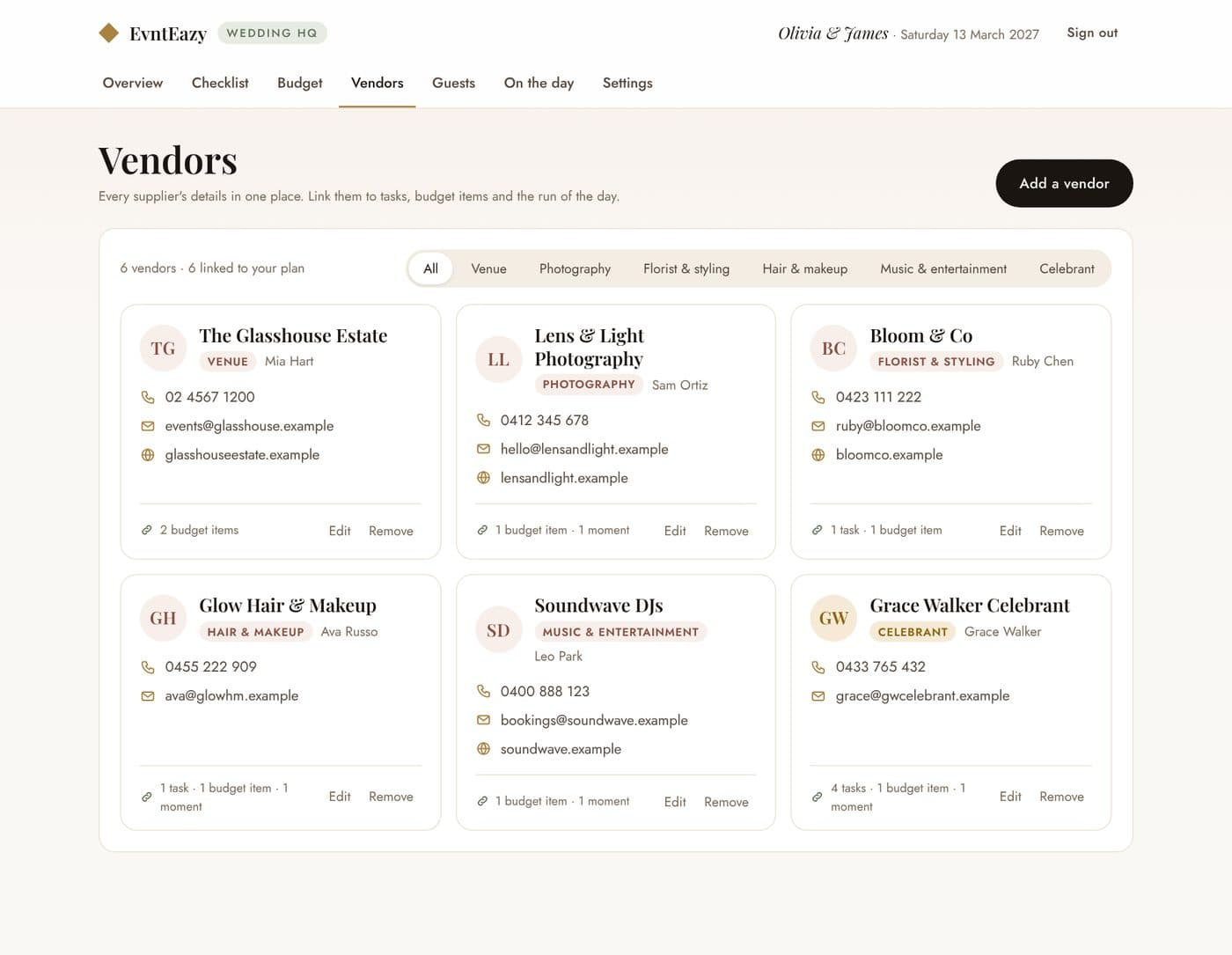
- Add a vendor with their business name, category, contact person, phone, email, website and notes, such as what your package includes.
- Link them to your plan. Pick the vendor on a checklist task, a budget item or a moment in the run of the day.
- Find them fast. Filter by category, and tap a phone number or email to call or write to them.
Linking pays off in a few places:
- Each vendor card shows what they’re linked to, such as “1 task · 1 budget item · 1 moment”.
- Their name and phone number show on the run of the day, including when you print it for the wedding party.
- Rename a vendor and their linked budget items update too.
Removing a vendor unlinks them, but the tasks, payments and moments stay on your plan.
Plan it together in Your Wedding HQ
Start free with the checklist, budget, guest list and run of the day. Upgrade to Wedding HQ Pro whenever you're ready: one payment of A$39 for both of you.